Head to head
Lenovo Legion Go 2 vs Lenovo Legion Go (2023)
By ElvisPublished
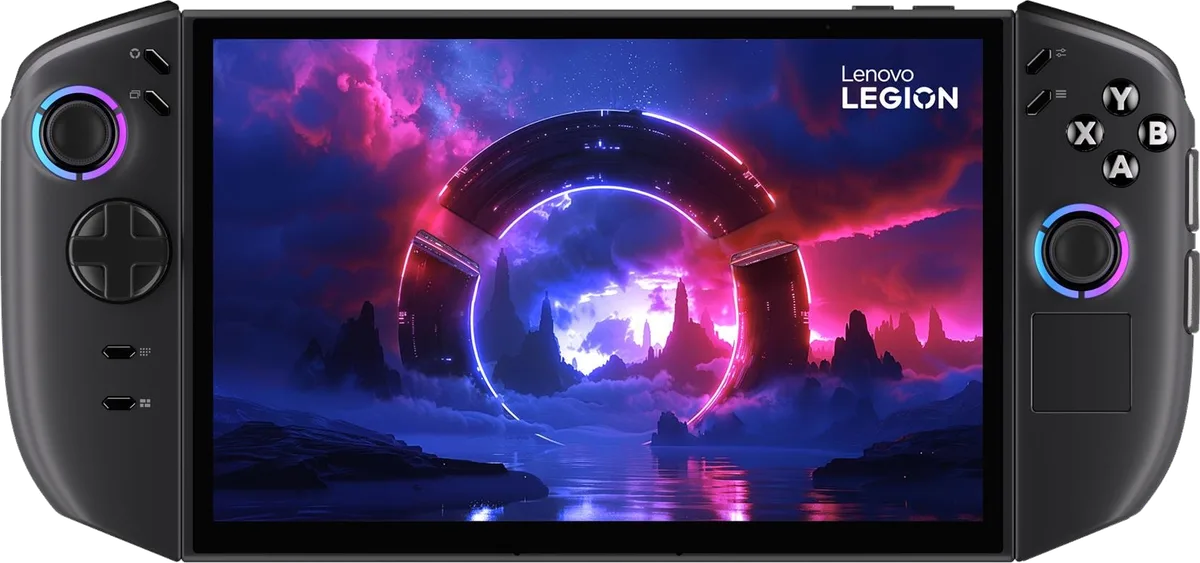
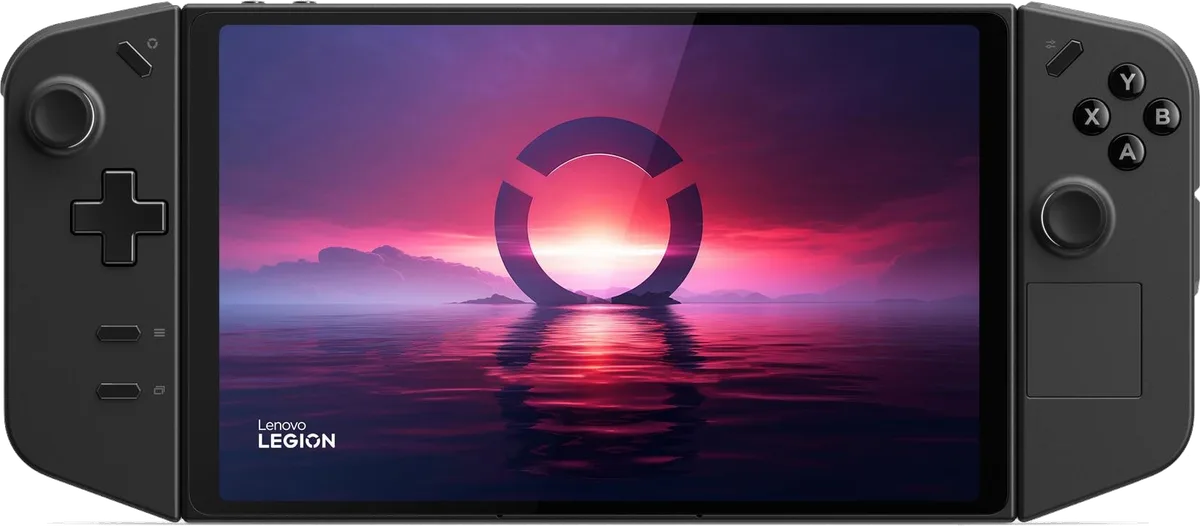
The Legion Go 2 swaps the original's 2560x1600 IPS screen for a 1920x1200 144 Hz OLED with VRR and HDR, adds the Ryzen Z2 Extreme, 32 GB of RAM, a 74 Wh battery and rounder grips. Reviewers call the screen the big gain; IGN found a large performance step, while Windows Central and Tom's Hardware found a modest one. At launch list prices it starts $400 above the original, so original owners should upgrade only if the OLED matters to them.
We haven't tested these handhelds ourselves. This guide draws on published reviews, video tests and each device's sourced spec sheet.
Key differences
HandheldQuest calculation from the sourced specs below. Differences under 3% are left out.
- Lenovo Legion Go 2 has 50% more battery capacity (74 Wh vs 49.2 Wh)
- Lenovo Legion Go 2 is 66 g heavier than Lenovo Legion Go (2023) (+8%, 920 g vs 854 g)
- Lenovo Legion Go (2023) has 78% more screen pixels (2560 × 1600 vs 1920 × 1200)
- Lenovo Legion Go 2 lists for $680 more than Lenovo Legion Go (2023) (+97%, $1,379 vs $699, lowest US list price)
Our take
If you already own the original Legion Go, I'd keep it unless the screen is why you'd switch. Reviewers split on speed, with IGN calling the gap huge and Windows Central calling it modest, and IGN's own explanation points at memory more than the chip. Battery in demanding games moved by minutes, not hours. What every review agrees on is the OLED with VRR, which fixes the one thing the original's screen lacked.
Buying new with neither in hand, the question is what you want to pay for. The Legion Go 2 comes out ahead on most axes the reviews cover; SDR brightness, resolution, weight and price are the exceptions. The original is the cheaper way into detachable controllers, a kickstand and a large 144 Hz screen. I can't give you a current street price for the original, so check its device page before deciding.
Elvis
Pick the Legion Go 2 if
- You want OLED contrast, HDR and VRR on an 8.8-inch 144 Hz screen
- You want 32 GB of RAM with the Z2 Extreme and rounder grips that reviewers found more comfortable
- You play demanding games at 1200p and want the extra headroom
Pick the Legion Go if
- You want detachable controllers and a kickstand for less money
- You prefer a slightly lighter handheld at 854 g instead of 920 g
- You already own it, since Windows Central and Tom's Hardware found the performance step modest
Key specs
| Spec | Legion Go 2 | Legion Go |
|---|---|---|
| Chip | AMD Ryzen Z2 Extreme | AMD Ryzen Z1 Extreme |
| Software | Windows 11 Home | Windows 11 Home |
| Screen size | 8.8″ | 8.8″ |
| Panel | OLED | IPS LCD |
| Resolution | 1920 × 1200 | 2560 × 1600 |
| Refresh rate | 144 Hz | 144 Hz |
| RAM | 16 GB / 32 GB | 16 GB |
| Storage | 1 TB | 1 TB |
| Battery | 74 Wh | 49.2 Wh |
| Weight | 920 g | 854 g |
| US list price | from $1,379 | from $699 |
Sources for every value are on each handheld's page. See every spec side by side.
What changed from the original
Both keep the 8.8-inch size, 144 Hz refresh rate, detachable controllers with an FPS mode, a kickstand and Hall effect sticks. The Legion Go 2 moves from the Ryzen Z1 Extreme with 12 GPU compute units to the Z2 Extreme with 16, and from an IPS panel to OLED. The Z2 Extreme model ships with 32 GB of RAM, where the original had 16 GB. (Windows Central)
Windows Central lists the other changes: a fingerprint reader, USB-C charging ports on the controllers and a more rounded design. IGN adds new shortcut buttons for Task View and the Windows desktop, with Start and Select moved to the upper corners.
Display: OLED and VRR against 1600p
Even at the lower resolution, IGN rates the new OLED a substantial upgrade, with brighter colors and more accurate blacks. In games that can run at 144 fps on integrated graphics, it adds, VRR makes tearing basically a thing of the past. Windows Central names the original's lack of VRR as the reason its games look choppier. (Windows Central)
The resolution drop matters less than it sounds. IGN says the original's 1600p panel struggled whenever games ran at native resolution, and Windows Central calls 1920x1200 plenty sharp. Tom's Hardware had called the original's 2560x1600 overkill for most games.
Brightness did not improve in SDR. Tom's Hardware measured 445 nits on the Legion Go 2 and Tom's Guide 476 nits on the original, though these are different labs and units. Notebookcheck measured 1,155 cd/m2 peak in HDR on the new one, which the original cannot show. (Windows Central)
Performance: how big is the gap
IGN measured a large gap. It saw Forza Horizon 5 at 65 fps on the Legion Go 2 against 42 fps on the original, and Time Spy at 3,936 against 2,811. In Call of Duty Black Ops 7 at 1200p on the Extreme preset with FSR Quality, the figures were 39 fps against 20 fps.
Windows Central's own comparison, partly written before the final hardware shipped, found a smaller step. Cyberpunk 2077 on a low preset averaged 41.72 fps on the Legion Go 2 and 36.43 fps on the original, which it calls only modestly better. Tom's Hardware likewise says the biggest gains show up at 800p and that current handheld owners need not upgrade.
IGN ties much of its gap to memory rather than the new chip. The original ships with 16 GB and only 3 GB assigned to the GPU by default, so the ROG Ally X with the same Z1 Extreme and 24 GB scored 3,517 in Time Spy. Notebookcheck likewise saw a few games slow down at top settings on the original and suggested raising the graphics memory in the UEFI.
Comfort and weight
The new body weighs 920 g with the controllers on, against 854 g for the original. Windows Central still calls the Legion Go 2 more comfortable because of its rounder shape, better texture and easier-to-reach buttons, and notes you can detach the controllers or use the kickstand to take the weight off.
Comfort complaints repeat across both models. Tom's Guide says the original can feel quite heavy after extended use, and Tom's Hardware often ended Legion Go 2 sessions with tired hands and wrists. IGN says the new fingerprint reader sits awkwardly for smaller hands, and it preferred typing a PIN.
Battery: similar in games, far longer in light use
The battery grows from 49.2 Wh to 74 Wh, but demanding-game runtimes moved by minutes. Windows Central got about two hours in Cyberpunk 2077 on the original and about 2 h 17 min on the Legion Go 2 at similar settings. Tom's Guide's PCMark 10 gaming test, run on both, lasted 1 h 51 min on the original and 2 h 15 min on the Legion Go 2. (Tom's Guide)
Light use is where the new model stretches further. Windows Central reached 11 h 30 min browsing on the Legion Go 2, and Tom's Guide's web test at 150 nits lasted 10 h 45 min, against 4 h 06 min on the original in the same test. Windows Central calls the Legion Go 2 the winner on battery, by a small amount. (Tom's Guide)
Software
Both run Windows 11 with Lenovo's Legion Space on top, and Windows Central calls software a tie. IGN praises the new shortcut buttons for easing Windows on a handheld, but notes the Xbox full-screen experience was still to come for third-party devices. None of the reviews we cite covers that mode on the original Legion Go, so its availability there is unknown.
Price and value
At launch the original cost $699.99 with 512 GB or $749.99 with 1 TB, while the Legion Go 2 started at $1,099.99 for the Z2 model and $1,349.99 for the Z2 Extreme with 32 GB. Windows Central calls the original the price winner but says the Legion Go 2 is fairly priced for its features. (Tom's Hardware)
IGN scored the Legion Go 2 7/10 and calls it a very expensive display upgrade, recommended mainly to OLED fans, and says similar performance is available elsewhere. Windows Central keeps the original as a good choice on a budget for buyers who accept an IPS screen without VRR.