How-to
AnyAspectRatio for Steam Deck: remove black bars with a Decky plugin
AnyAspectRatio is a community Decky plugin that applies fullscreen fixes to 100+ games on Steam Deck and SteamOS. What it does, how to install it from a zip, and its limits.
By ElvisPublished
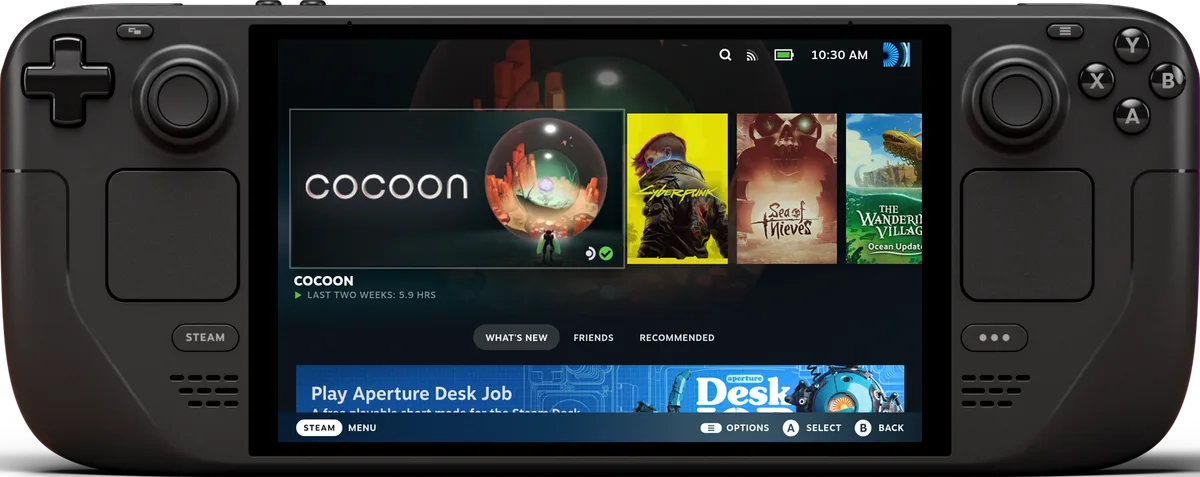
AnyAspectRatio is a free Decky Loader plugin from a developer who goes by TLin-Y. It adds fullscreen fixes for games that letterbox on the Steam Deck’s 16:10 screen. GitHub lists plugin releases from November 4, 2026, and Notebookcheck wrote it up the same day, saying the project surfaced in a Reddit post. It is a community project, not a Valve product, and we found no independent results. This guide is built from the developer’s README and release notes; we haven’t run the plugin ourselves.
What it does
Games built for 16:9 leave bars on a 16:10 screen, as Notebookcheck points out. Per the README, the plugin handles the workaround for you: one tap on a game installs its fix and sets its Steam launch options.
- Target: the developer’s own fixes default to 16:10 at 1,280 × 800, the Deck’s panel. Other ratios such as 4:3 and 3:2 are covered.
- Games: the repository’s table had 113 rows when we read it on November 5, and Notebookcheck says “more than 100”. Clair Obscur: Expedition 33, Resident Evil Village and Dark Souls III are among them. The table names an author per row. By our count, Lyall is credited on about 90 rows, TLin-Y on about 19, and a handful of other modders on the remainder.
- Where it looks: all Steam libraries, SD card included. Non-Steam shortcuts count too, matched by exe name.
- Adjustments: resolution, aspect ratio and FOV can be changed from the plugin in Game Mode, and the plugin remembers them.
- Manual fixes: a few games need steps the plugin can’t do for you. Those get a ReadMe button instead of an apply button.
Which handhelds
The plugin itself is built for Decky Loader on a Steam Deck or SteamOS, per its README. The wider repository describes its fixes as cross-platform and says it targets handhelds such as the Deck, AYN and Retroid Pocket devices, but the one-tap Decky plugin is the Deck and SteamOS route. Notebookcheck says other handhelds that run Decky could benefit. Because the defaults match the Deck’s screen, a different SteamOS handheld would probably need its resolution set per game; that is our inference, not something the developer states.
Install from a zip
The README describes a manual install; we found no Decky store listing. For version 1.4.0:
- Get
AnyAspectRatio-1.4.0.zipfrom the latest GitHub release onto the Deck, for instance into Downloads. - In Game Mode, press the
...button for Decky, open Settings, General and enable Developer mode. - Go to Settings, Developer, choose Install Plugin from ZIP and pick the file.
- Find AnyAspectRatio in the Decky menu and tap Scan Steam libraries.
A later version goes on top via another zip. The README points to Decky’s own plugin list for uninstalling.
Inside the plugin
The Games tab is the main screen: each supported game you own sits there with apply and remove controls, a settings editor and its ReadMe. A Mods tab credits the fix authors and takes the offline pack. Settings is where you flip Offline mode, choose where mods come from, point to your own zip folder and refresh the mod list.
Offline mode, added in 1.3.0, cuts the plugin off from the network entirely, per the README, though only the plugin: Decky and Steam still connect as usual. Without a connection, mods come from the offline pack, which you import once and which the README says holds mod files only. Use the name on the 1.4.0 release page, AnyAspectRatio-Offline-Mods-1.4.0.zip; the README spells it differently.
Release history
| Release | Date | Notes |
|---|---|---|
| v1.3.0 | November 4 | Offline mode and an in-plugin log viewer |
| v1.4.0 | November 5 | Hash check (sha256) on the mod catalog; new games include Persona 3 Reload, Monster Hunter: World, Final Fantasy XIII-2 and others |
v1.1.0 and v1.2.0 also appeared on November 4; their notes mostly describe installation and what the plugin is.
Limits and unknowns
The developer describes the plugin as a side project that gets updates when time allows, Notebookcheck reports. It also says that with so little user feedback so far, results could swing a lot from one game to the next. We found no independent test of the fixes. From v1.2.0 on, the release notes tell users that Lyall’s fixes are shipped as-is and haven’t all been tested by the developer; if one misbehaves, remove it and file a report on GitHub. Because some fixes are written for a particular game build, a publisher patch may break one until a new release arrives. With anti-cheat or online games, the notes put the risk on you, so read the publisher’s rules first.
Still unknown: how the plugin treats launch options you already set, and whether the fixes change performance. No source we opened measures either.
For other Deck tweaks, see our guide to Steam Deck performance settings.
Questions
Do I need Desktop Mode or a terminal to apply the fixes?
The developer says no: the plugin sets the Steam launch options itself, so there is no file copying in Desktop Mode and no terminal work per game. Getting the plugin zip onto the Deck is a separate step, and the README doesn't explain how to transfer it.
Can it run without an internet connection?
Yes, after a one-time import. Offline mode, added in 1.3.0, blocks all of the plugin's network traffic. You then bring in a separate offline pack from the release page so mods can still be installed. The README calls that file AnyAspectRatio-Offline-1.4.0.zip, but the 1.4.0 release lists it as AnyAspectRatio-Offline-Mods-1.4.0.zip.
Will it overwrite my own launch options?
Unknown. The README says the plugin sets the launch options per game but doesn't say how it treats options you already entered, so check a game's Properties screen before and after applying a fix.
Sources
Reviews and reports cited in this guide (6)
- AnyAspectRatio for Decky: README · GitHub (TLin-Y) · Community
- SteamAnyAspectRatioMods: README and game list · GitHub (TLin-Y) · Community
- AnyAspectRatio Decky plugin v1.2.0 release notes · GitHub (TLin-Y) · Community · November 4, 2026
- AnyAspectRatio Decky plugin v1.3.0 release notes · GitHub (TLin-Y) · Community · November 4, 2026
- AnyAspectRatio Decky plugin v1.4.0 release notes · GitHub (TLin-Y) · Community · November 5, 2026
- Goodbye black bars: New plugin brings fullscreen gaming to Steam Deck and other handhelds · Notebookcheck · News · November 4, 2026
Spotted a mistake or a step that no longer works? Tell us and we'll correct it.