Troubleshooting
Switch 2 not connecting to the TV? No signal fixes, safest first
Switch 2 shows no picture or no signal in TV mode? Fixes from Nintendo's support pages for the AC adapter, HDMI cable, TV input, updates, monitors and third-party docks.
By ElvisPublished Updated
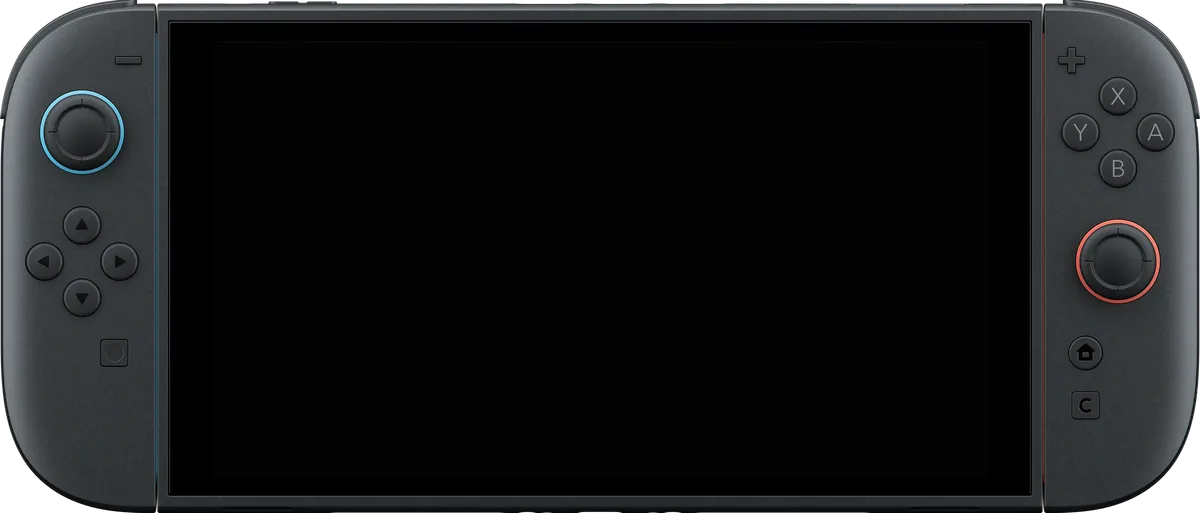
If the Switch 2 shows nothing on the TV, first check that the console turns on while undocked. If it does, the usual causes in Nintendo’s support pages are the wrong AC adapter, an HDMI cable that isn’t Ultra High Speed, a device between the dock and the TV, or the wrong TV input. The sections below run from the cheapest check to contacting Nintendo, then cover monitors and third-party docks, where Nintendo’s pages say little. Nintendo’s pages carry no date. Its latest system update listed as of November 12, 2026 is version 23.5.0.
What you need for TV mode
Nintendo’s no-image article lists the Switch 2 console, the Switch 2 dock, the Switch 2 AC adapter (model NGN-01) and an Ultra High Speed HDMI cable. The cable that ships with the Switch 2 qualifies. The original Switch’s adapter (HAC-002) does not support TV mode with the Switch 2.
Nintendo’s compatibility page is direct about older gear. It rules out three original-Switch parts for TV mode: the dock flatly, the HDMI cable because it is built to an older cable standard, and the AC adapter on account of its different power output (it still charges a Switch 2 plugged straight into the console). If your setup started as a Switch 1 kit, that alone can explain a black screen.
Check the console on its own
Nintendo’s first step is to rule out the console. That means taking the TV and dock out of the chain: power the TV off, pull every cable from the dock, and leave the adapter disconnected from wall and console for 30 seconds. Then run the console on its own from a wall outlet, out of the dock, and press POWER if its screen is dark. If the screen stays dark in handheld mode, Nintendo calls that a console problem and sends you to its separate no-power article instead of the TV steps.
While undocked, check for an update. On the HOME Menu, open System Settings, scroll to System, then choose System Update. The console has to be online, and Nintendo says it usually downloads updates by itself. If an update won’t complete, Nintendo’s advice is to restart the console and try again.
Check the AC adapter, cable and dock
Use the NGN-01 adapter with the dock. Nintendo’s no-video article says a third-party adapter and cable can work if the output is at least 54 W, while its no-image article says to replace an unlicensed adapter with the correct one. Look the adapter, cable and dock over for visible wear, such as a split cord or a loose plug; Nintendo’s rule is that any damaged part gets replaced.
For the test, Nintendo wants the bare minimum wired up: the adapter going from a wall socket (no power strip) into the dock, and one HDMI cable from dock to TV with no soundbar, AV receiver or video adapter in between. The no-video article says the same about splitters. Dock the console without its case, screen facing the same way as the dock’s front panel. A docked console blanks its own screen; if it stays lit, the dock is the faulty part and Nintendo says it needs service.
Check the TV input and settings
Nintendo’s list of things to try, in its order: confirm the TV is on the correct input, adjust the TV resolution on the console, try another HDMI port, try another Ultra High Speed cable, try another TV, and try another dock. The last two tell you which part is at fault. If the console works with a different dock, Nintendo says only the original dock needs service.
Two settings come up in the TV-specific pages:
- Nintendo’s no-video article tells you to turn Variable Refresh Rate (VRR) off in the TV settings if there is still no video.
- Nintendo’s 120 Hz page lists four places the chain can break: the game, the TV, the TV’s own 120 Hz setting, or the setting for the HDMI port the dock uses. It warns that the toggle in System Settings can be on even when one of those can’t do 120 Hz. Its HDR page says the message “The connected TV either doesn’t support HDR or HDR support is turned off” can come from the TV or from the port the dock is on. It says to dock the console before changing HDR output, which lives under System Settings > Display > Adjust HDR.
For owner reports, Notebookcheck’s July 2025 piece collects user complaints of blackouts, flicker and “invalid format” messages on LG TVs, mostly with HDR on. Users said setting the TV’s HDR Tone Mapping to HGiG and turning off 120 Hz in the Switch 2 settings stopped it. Per users quoted by Notebookcheck, Nintendo support was unaware of a systemic problem and pointed owners to repair or replacement. These are user workarounds, not a Nintendo fix.
Dock runs hot or won’t power the console
Nintendo’s no-video article also covers heat and charging. If the console or dock feels hot, it first sends you to its separate articles on a console that feels warm while docked and on a dock with no power. After that, free up the vents (top of the console, back of the dock), peel off any stickers or decals, and move the pair to open air. Power then gets tested with the console alone: adapter out of dock and wall for 20 seconds, then back into the wall and the console’s bottom USB-C port. A console that won’t charge that way gets the top port next, then a second adapter, and if the second adapter works, Nintendo points to the first as the likely fault.
Using a monitor
Nintendo’s connection guide treats a monitor like a TV: an Ultra High Speed HDMI cable, such as the one in the box, goes from the dock’s HDMI port into an HDMI port on the monitor. The original Switch’s HDMI cable isn’t Ultra High Speed and won’t work in TV mode. If the monitor stays blank, our reading is that the same isolation steps apply: another cable, another HDMI port, another display, and VRR off.
Third-party docks and USB-C to HDMI cables
Nintendo’s troubleshooting pages are written around its own dock. For other docks, the reporting is about system updates. Engadget wrote that Switch 2 system update 21.0.0 stopped many third-party docks from working, while others became finicky and needed restarts. Engadget read Nintendo’s response as pointing to an accident that hit only some devices, and quoted the company saying it has no intention to “hinder or invalidate legal third-party dock compatibility”. Engadget added that fixes depend on the accessory makers.
Notebookcheck’s November 13, 2025 report shows a mixed picture. A Reddit user’s Siwiqu dock stopped working after months of use, while the Antank S3 Max passed The Verge’s tests at launch and, per Notebookcheck, kept working after 21.0.0. Notebookcheck also warns that a later firmware could block workarounds again.
Cabletime’s own support post describes many third-party docks charging the Switch 2 but no longer putting out video, and offers a firmware update for its 4K60Hz USB-C to HDMI cable, run from a Windows PC, to fix “No Signal / No Display”. Comments under that post say the problem returned after later system updates and that some computers didn’t detect the cable. None of the replies on the post’s first comment page come from Cabletime. If a third-party dock or cable fails, the clean test is the official dock with the NGN-01 adapter. If that works, the accessory maker is who to ask. No Nintendo page we opened says whether a third-party accessory affects support, so ask Nintendo before sending in a console.
When to contact Nintendo
If there is still no image after the steps above, Nintendo says the console and the dock both need service, and it links an online service request. Replacements for damaged or unlicensed accessories should come from the Nintendo Store, per the same article. For other Switch 2 settings, see our tips and tricks guide.
Questions
Can I use my original Switch dock, charger or HDMI cable with the Switch 2?
Not for TV mode. Nintendo's compatibility page marks the original dock as not compatible, rules out the original AC adapter for TV mode on account of its different power output, and lists the original HDMI cable as incompatible since it uses an older cable standard. The original adapter can still charge a Switch 2 plugged in directly.
What does the error 'Cannot display on TV. Please use the provided AC adapter' mean?
Nintendo's no-video article lists it as one way the problem shows up after you take the console out of the dock. The first checks it gives are the AC adapter (NGN-01 recommended, or a third-party adapter and cable rated at least 54 W) and an Ultra High Speed HDMI cable.
Does a USB-C to HDMI cable work instead of the dock?
Nintendo's pages only describe the official dock. Makers such as Cabletime sell Switch 2 USB-C to HDMI cables, and Cabletime's own post says its cable lost video after Switch 2 system update 21.0.0 until a firmware fix was applied from a Windows PC. Treat any dock alternative as the maker's product to support.
Why does the picture drop out or flicker on my LG TV?
Notebookcheck's July 2025 report, based on user complaints, links signal loss on LG TVs to HDR and 120 Hz. Users reported that setting the TV's HDR Tone Mapping to HGiG and turning off 120 Hz in the Switch 2 settings stopped it. Nintendo's own no-video page separately lists switching VRR off on the TV.
Official sources
- Blank Screen or No Image Displayed on the TV on Nintendo Switch 2 · Nintendo · Manufacturer
- No Video Output to TV in TV Mode on Nintendo Switch 2 · Nintendo · Manufacturer
- Compatibility of Nintendo Switch with Nintendo Switch 2 · Nintendo · Manufacturer
- Video Not Displayed on TV at 120Hz with Nintendo Switch 2 · Nintendo · Manufacturer
- Message Displays for HDR Output on Nintendo Switch 2 · Nintendo · Manufacturer
- How to Perform a System Update on Nintendo Switch 2 · Nintendo · Manufacturer
Reviews and reports cited in this guide (6)
- System Update Information for Nintendo Switch 2 · Nintendo · Manufacturer
- A new Nintendo Switch 2 system update just bricked many third-party docks · Engadget · News · November 13, 2025
- Third-party Switch 2 docks stop working after firmware update, but accessory makers fight back · Notebookcheck · News · November 13, 2025
- Nintendo Switch 2 users are facing persistent HDMI connectivity issues in docked mode · Notebookcheck · News · July 23, 2025
- How to Update Cabletime's USB C to HDMI Adapter for Nintendo Switch 2 (Firmware Fix for Version 21.0.0) · Cabletime · Manufacturer · November 14, 2025
- How to Connect a Nintendo Switch 2 Console to a TV · Nintendo · Manufacturer
Spotted a mistake or a step that no longer works? Tell us and we'll correct it.