Tips & tricks
Windows handheld battery life tips: power mode, frame cap, Xbox mode and sleep
How to stretch battery on a Windows gaming handheld: power mode or TDP, frame cap, brightness, Xbox mode, Windows power settings and sleep, with reviewers' runtimes.
By ElvisPublished
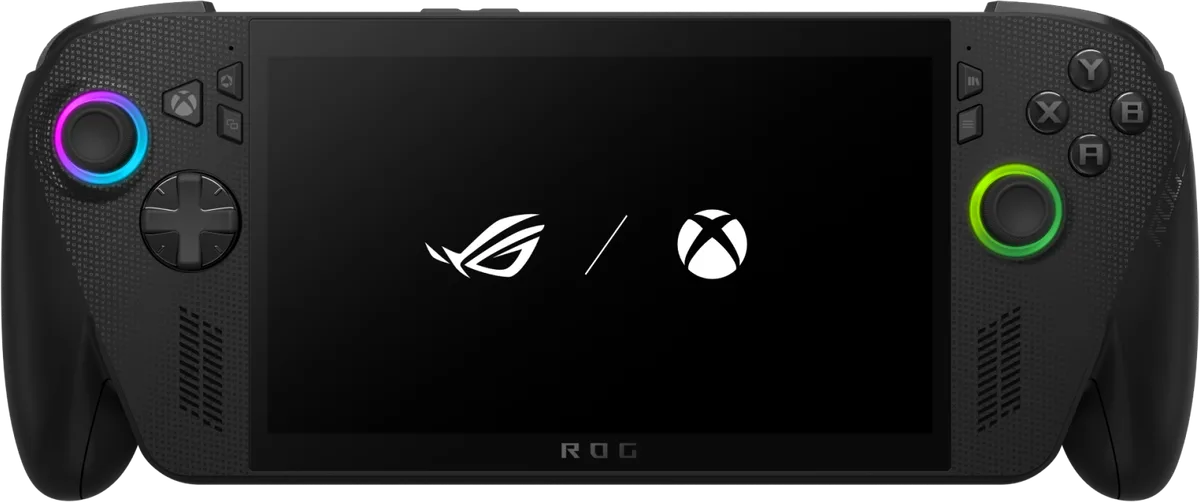
The power mode, which sets the chip’s TDP (the watts it is allowed to draw), is the one lever with published runtime differences. The frame cap, brightness and the other tips below come with no measured numbers. Notebookcheck’s gaming runtimes show the direction. On the ROG Xbox Ally X it logged 2 hours 13 minutes in Turbo mode in Cyberpunk 2077 at Ultra and 3 hours 12 minutes in Performance mode (no workload named for that one or for Silent), with about 4 hours in Silent and 6 to 7 hours for cloud play or emulating older games. The tips below start with the power mode and say where the sources give no number.
1. Pick the lowest power mode the game can live with
ASUS tells ROG Ally and ROG Xbox Ally owners to move from Turbo to Silent or Performance. Windows Central describes the Xbox Ally modes as Silent at 13 W for 2D and well-optimised games, Performance at 17 W for most 3D games, and Turbo at 25 W on battery, which it says empties the battery in about an hour. Its estimate is up to 5 to 6 hours in Silent with low-poly, cloud or Xbox remote-streaming games, and 2 to 3 hours of 3D play in Performance.
Lenovo’s Legion Go 2 follows the same ladder under different names. Notebookcheck’s gaming runtimes, tied to the mode but not to a named game, were just over 5 hours in Silent, just under 3 in Balanced and about 2.5 in Performance, which it says is quickly limited to 20 W. Manual mode at full power lasted 1 hour 17 minutes. Our Legion Space guide lists each mode’s wattage and where the reviewers disagree, and the Armoury Crate guide does the same for the Xbox Ally.
| Handheld | Mode | Runtime | Workload stated by Notebookcheck |
|---|---|---|---|
| ROG Xbox Ally X | Turbo (25 W on battery) | 2 h 13 min | Cyberpunk 2077 at Ultra, 150 nits (chart) |
| ROG Xbox Ally X | Performance (17 W) | 3 h 12 min | none named (review text) |
| ROG Xbox Ally X | Silent (13 W) | about 4 h | none named (review text) |
| Legion Go 2 | Performance | about 2.5 h | none named (review text) |
| Legion Go 2 | Balanced | just under 3 h | none named (review text) |
| Legion Go 2 | Silent | just over 5 h | none named (review text) |
Read the rows as rankings inside one handheld. The Ally X Turbo row comes from a named chart test and the others from review prose, so the gaps are approximate, and nothing should be compared across the two devices.
Tom’s Hardware’s reviewer logged two play sessions on the Xbox Ally X. In Performance mode (17 W), with the screen at 60 Hz and 50% brightness, Marvel’s Midnight Suns at 720p and medium settings dropped the battery to 50% after 1 hour 32 minutes. Alan Wake 2 did the same in 1 hour 35 minutes at 720p with FSR 2 on a 640 by 360 render resolution. The reviewer’s extrapolation is about 3 hours.
Windows Central also warns that some multiplayer anti-cheat systems may wrongly flag a TDP change made in-game (it names Call of Duty and Battlefield). Switching modes before you join a match is our precaution, not its instruction.
2. Cap the frame rate
ASUS recommends the game’s own frame limiter first. If the game has none, the Command Center’s FPS Limit button does the job, provided the game runs in exclusive full screen. ASUS’s example is 60 fps instead of 120. Microsoft’s April 2026 developer post says the same from the other side: uncapped frame rates can noticeably shorten battery life, and games should cap frame rate in menus and loading screens. Windows Central adds that most games run acceptably in Performance mode on battery if you lower the resolution or accept a 30 fps cap.
None of these sources prints how many minutes a cap buys. In Tom’s Hardware’s Alan Wake 2 run the reviewer set a 60 fps cap specifically to save battery.
3. Turn off CPU Boost and try Radeon Chill
On ASUS handhelds, ASUS lists switching CPU Boost off under Settings > Performance > Eco Assist in Armoury Crate SE. It also puts that toggle in the Command Center, and Notebookcheck notes that Boost is on by default on the Xbox Ally X.
Radeon Chill is an AMD driver feature. Windows Central credits it with lower power draw, less heat and quieter fans, because Chill drops the frame cap when little is happening on screen and lifts it again in busy scenes, within two limits you set (Min Chill and Max Chill). Windows Central lists it among the Radeon settings without giving an Armoury Crate menu path, and it gives no runtime figure for Chill.
4. Lower brightness, kill RGB, pick lighter games
ASUS’s advice is to drag the brightness slider down in the Command Center. Switching the RGB lighting off also helps a little, according to ASUS. It also names Hades, Dead Cells and Hollow Knight as easier on the battery than Cyberpunk 2077. Tom’s Hardware makes the same point with Stardew Valley and Hollow Knight: Silksong. For heavy games, ASUS suggests streaming them, through Xbox Cloud Gaming with Game Pass, Xbox Remote Play or AMD Link. Notebookcheck’s 6 to 7 hours for cloud play or emulating older games is the longest gaming runtime it reports for the Xbox Ally X.
5. Understand what Xbox mode does
Windows Central’s tweaks guide says the Xbox full-screen experience shuts down background components, and presents that as the reason for both better frame rates and longer battery life; it gives no runtime figure. Notebookcheck’s reporting is more cautious. On the first-generation ROG Ally, Windows Central’s Zac Bowden, as Notebookcheck reported, measured 38 fps average in Xbox mode and 29 fps on the desktop in Shadow of the Tomb Raider, then matched the 38 fps on the plain desktop by switching off background apps himself. Notebookcheck’s Xbox Ally X review says it found no performance gain from the mode. Its ROG Ally write-up gives no battery figures and says the battery benefit Microsoft advertises depends on background processes being shut down.
The one measured gain, in frame rate, matched what closing background apps by hand achieved. Windows Central separately suggests trimming startup apps in Settings > Apps > Startup, though it frames that as faster boots and better game performance, not battery. Microsoft’s power page says nothing about Xbox mode, so the battery claim rests on Windows Central.
6. Windows power settings and sleep
- Open Settings > System > Power & battery.
- Power mode: Microsoft describes Best Power Efficiency as a mode that holds back background activity. No source tests it on a handheld, and Windows Central’s tweaks guide advises the opposite, Best Performance, for gaming, so how it interacts with the Armoury Crate modes is untested here.
- Energy saver: Microsoft says it activates at low charge, dims the screen and limits background processes, and a toggle named “Lower screen brightness when using energy saver” is available.
- Under Screen, sleep & hibernate timeouts, shorten “Turn my screen off after” and “Make my device sleep after” for battery use. Microsoft lists defaults of 3 minutes on battery for modern standby devices.
ASUS goes further for the Ally family: switch the power button to Hibernate (Xbox button > Settings > More Settings > Windows Settings > System > Power & Battery), or enable “Modern Standby Assistant” and “Extreme Standby Mode” in Armoury Crate under Settings > Performance > Operating Mode > Eco Assist. ASUS says hibernation uses no power and no source here gives a figure for how much a sleeping handheld drains. The SteamOS vs Windows comparison covers the sleep and wake differences reported against Windows.
7. Charging and travel
ASUS says Battery Care Mode caps charging at 80% to cut wear, at the price of runtime, and Instant Full-Charge Mode lifts the cap for 24 hours before a trip. For long days, ASUS recommends a power bank rated for at least 65 W USB-PD charging. Keep it updated too: ASUS and Windows Central both list Windows, Armoury Crate and AMD driver updates as a first step before tuning.
The short version
Drop to the lowest power mode the game runs well in, cap the frame rate, and lower brightness. Add Radeon Chill, CPU Boost off and the power-button hibernate trick if you want more. Start with the first: Notebookcheck’s Xbox Ally X figures climb from 2 hours 13 minutes in Turbo to 3 hours 12 minutes in Performance and 6 to 7 hours for cloud play or emulation, though only the Turbo figure names its workload.
Questions
Does the Xbox full-screen experience really add battery life?
Windows Central says it does by stopping background components, but no source in this guide measured a runtime gain. Windows Central's Zac Bowden, in a test Notebookcheck reported on the first-generation ROG Ally, got 38 fps in Xbox mode against 29 fps on the desktop, and the same 38 fps on the desktop once he closed background apps by hand. Notebookcheck's own ROG Xbox Ally X review says it found no performance gain from the mode.
Will lowering the power mode in a game get me banned in online shooters?
Windows Central says a TDP change made while a multiplayer game is running may be flagged by some anti-cheat, and names Call of Duty and Battlefield. Single-player games shouldn't be a problem, it adds.
Is Battery Care Mode worth turning on?
It depends on how you use the handheld. ASUS says the 80% charge limit reduces wear on the battery but also reduces runtime, and its Instant Full-Charge Mode lifts the limit for 24 hours when you need a full battery for a trip.
Official sources
- How to extend the battery life of your ROG Ally or ROG Xbox Ally · ASUS ROG · Manufacturer · October 15, 2025
- Power settings in Windows 11 · Microsoft · Documentation
- Office Hours Recap: Developing for Handheld with AMD · Microsoft · Documentation · April 29, 2026
Reviews and reports cited in this guide (6)
- Full-screen Xbox experience for gaming handhelds - Asus ROG Xbox Ally X review · Notebookcheck · Review · October 16, 2025
- Xbox full-screen mode on original Asus ROG Ally boosts gaming handheld performance but with caveats · Notebookcheck · News · September 18, 2025
- Gaming handheld with great 144 Hz OLED and detachable controllers - Lenovo Legion Go 2 review · Notebookcheck · Review · February 14, 2026
- Asus ROG Xbox Ally X review: Getting a grip on Windows gaming · Tom's Hardware · Review · October 15, 2025
- How to change TDP settings on your ROG Xbox Ally — and why you should · Windows Central · News · October 23, 2025
- 12 Essential Windows 11 tweaks to supercharge your ASUS ROG Xbox Ally gaming handheld · Windows Central · News · October 16, 2025
Spotted a mistake or a step that no longer works? Tell us and we'll correct it.